


Must-Have Client Tools for Selling in the AI Era
Why Client Tools for Selling Can Make or Break Your Deal
The best client tools for selling help you manage contacts, automate outreach, track deals, and collaborate with buyers — all in one place. Here’s a quick look at the main categories:
| Tool Category | What It Does | Best For |
|---|---|---|
| CRM / Client Management | Tracks contacts, deals, and communication history | Staying organized across buyers |
| Sales Prospecting | Finds and qualifies potential buyers | Building a targeted buyer list |
| Multi-Channel Outreach | Reaches leads via email, LinkedIn, phone | Higher response rates |
| Client Collaboration | Shared portals, file sharing, real-time chat | Keeping buyers informed and engaged |
| AI & Automation | Automates follow-ups, scoring, and scheduling | Saving time on repetitive tasks |
Selling a business is one of the most complex transactions you’ll ever manage. There are buyers to vet, documents to share, meetings to schedule, and dozens of conversations to track — often all at once.
Most first-time sellers start with email and spreadsheets. That works for a while. But as the process moves forward, things slip through the cracks.
A missed follow-up. A document sent to the wrong person. A buyer who went cold because no one checked in.
The stakes are too high for that.
Research from Axios HQ found that ineffective communication costs businesses over $15,000 per employee per year — and that’s in day-to-day operations. In a business sale, a single miscommunication can cost you a deal entirely.
The right tools don’t just keep you organized. They make you look credible, responsive, and professional — which matters enormously to serious buyers.
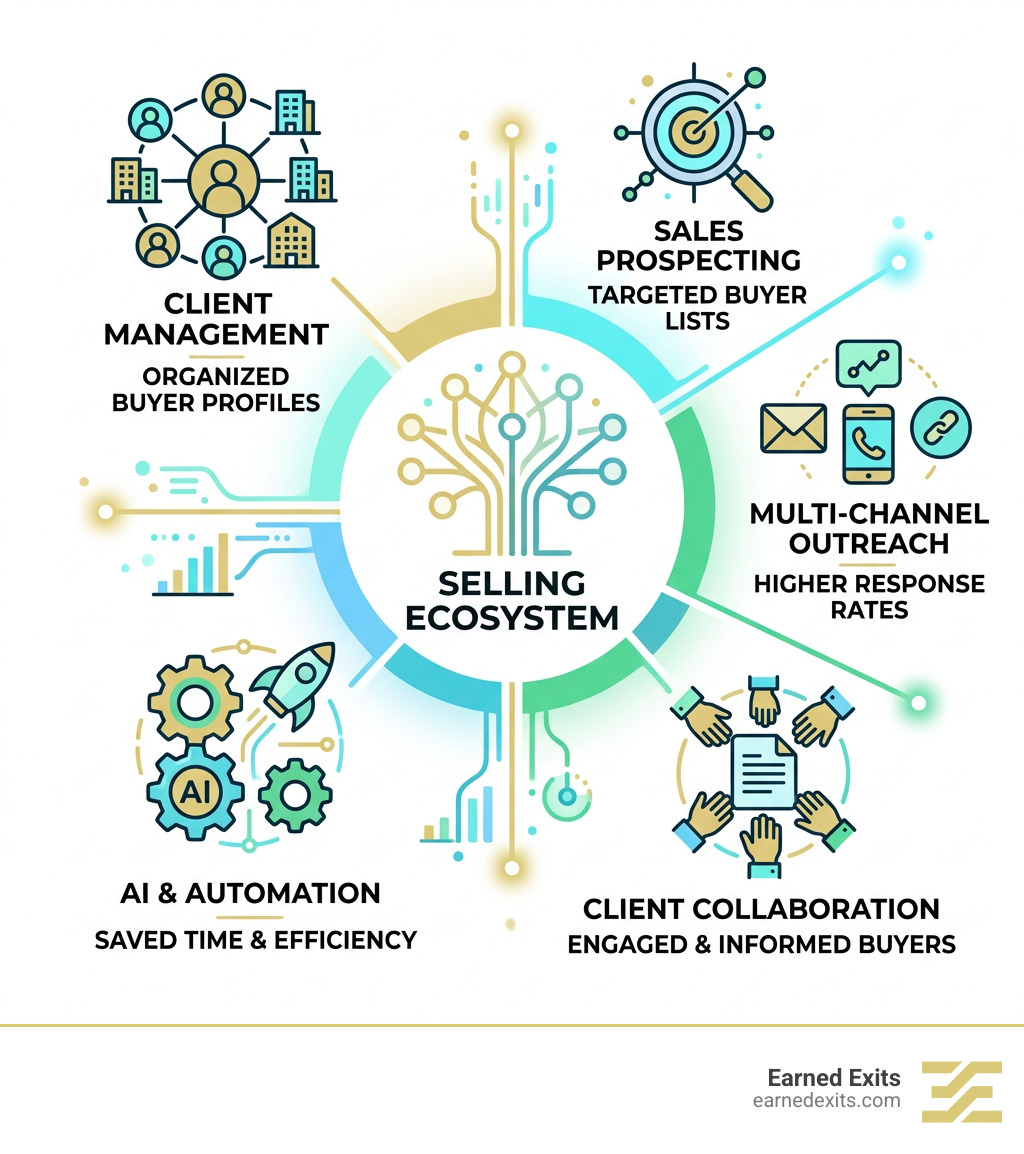
Categories and Benefits of Sales Technology
When we look at the landscape of modern selling, we see a massive shift from manual labor to digital orchestration. The categories of client tools for selling have expanded to cover every touchpoint of the buyer journey. Whether you are operating in Alabama, California, or Florida, these tools bridge the gap between a “for sale” sign and a closed deal.
Client Management
At the heart of any sale is the relationship. Dedicated client management apps and CRMs like Visit Zoho CRM Visit Zoho CRM or Visit HubSpot Visit HubSpot serve as a single source of truth. They move beyond simple contact lists to track every email, phone call, and document exchange. This ensures that even as the number of prospective buyers grows, your responsiveness doesn’t falter.
Multi-Channel Selling
Gone are the days when a single cold call sufficed. Modern multi-channel selling software allows you to engage leads across email, LinkedIn, and phone simultaneously. This approach is significantly more effective; by hitting multiple touchpoints, you increase the likelihood of a response. Tools like Visit Freshsales Visit Freshsales integrate these channels so you aren’t constantly switching tabs.
The Productivity Boost
The numbers are staggering: automation can reduce the time spent on repetitive prospecting tasks from 95% of your day down to just 10%. By using these tools, one person can often generate the same volume of leads as a four-person team working manually. This efficiency is vital when you are trying to Master the Sale: How a Business Broker Elevates Your Exit Strategy while still running your day-to-day operations.
Reducing Acquisition Costs
Ineffective communication is a trillion-dollar problem. According to Scientific research on the cost of ineffective communication, the US loses $2 trillion annually to poor workplace interactions. In the context of selling a business, high-quality client tools for selling reduce the cost of finding a buyer by automating the “grunt work” of outreach and qualification, allowing you to focus your expensive time on high-value negotiations.
The Role of Prospecting in Client Tools for Selling
Prospecting is the earliest stage of the selling process, and it is often where deals are won or lost. It is distinct from lead generation; while lead generation is a broad marketing tactic to attract interest, prospecting is a targeted sales effort to find specific, high-fit buyers.
- Lead Qualification: Not every person who asks for information is a serious buyer. Prospecting tools help you filter out “window shoppers” early.
- ICP Definition: You must define your Ideal Customer Profile (or Ideal Buyer Profile). Tools like UpLead claim 95% contact accuracy, allowing you to find buyers who actually have the capital and intent to close.
- Outreach Personalization: In the AI era, “spray and pray” doesn’t work. Prospecting tools allow you to tailor your message based on a buyer’s industry, recent business deals, or financial capacity.
When you are Selling Your Business: Crafting a Meaningful Exit Beyond Just the Price, finding the right buyer is more important than finding the first buyer.
Essential Features for Modern Selling
If you are evaluating client tools for selling, there are several “non-negotiable” features you should look for to ensure the platform can scale with your needs:
- Contact Management: Centralized storage for all buyer data, including social media profiles and interaction history.
- Automation: The ability to set up “if-this-then-that” workflows. For example, if a buyer downloads a disclosure document, the tool should automatically schedule a follow-up task.
- Reporting and Analytics: You need to see where buyers are dropping off in your pipeline. High-level reporting helps you forecast the likelihood of a closing date.
- Client Portals: These provide a secure, branded space for buyers to access files, view progress, and sign documents. This is a core part of our 10 Step Selling Process at Earned Exits.
- Integrations: Your tool must “talk” to your email provider, calendar, and accounting software (like Quickbooks or Xero).
AI and Automation in Client Interactions
The “AI Era” isn’t just a buzzword; it’s a fundamental change in how we interact with potential clients. AI features within client tools for selling enhance decision-making by analyzing patterns that humans might miss.
Intent Scoring and Predictive Analytics
Modern tools can now assign an “intent score” to a prospect. By tracking how often a buyer visits your listing or which sections of a proposal they spend the most time on, AI can predict who is most likely to move to a Letter of Intent (LOI). This allows you to prioritize your energy on the hottest leads.
Automated Follow-ups and Summarization
We have all been there: you finish a long meeting and then spend an hour typing up notes. AI tools like Fireflies.ai or the built-in assistants in Visit HubSpot Visit HubSpot can record, transcribe, and summarize meetings, extracting action items automatically.
Manual vs. AI-Automated Prospecting
| Activity | Manual Process | AI-Automated Process |
|---|---|---|
| Finding Leads | Searching LinkedIn for hours | AI-driven database filtering (e.g., Apollo.io) |
| Data Entry | Typing names into a spreadsheet | Automatic CRM logging from email/web |
| Follow-ups | Setting calendar reminders to email | Automated sequences with personalized triggers |
| Meeting Prep | Scouring the web for buyer history | AI-generated “briefing sheets” based on web data |
Enhancing Collaboration via Client Tools for Selling
Selling a business is a team sport. It involves the seller, the broker, the buyer, and often accountants and attorneys. Without centralized client tools for selling, communication becomes a fragmented mess of “Reply All” emails.
- Project Organization: Tools like Visit monday Visit monday allow everyone to see the timeline of the deal in real-time. This reduces “status update” meetings because the status is always visible.
- Real-time Communication: Integrated chat features allow for quick clarifications without cluttering inboxes.
- Document Sharing: Secure file collection is critical for due diligence. Platforms like Clustdoc ensure that sensitive financial records are collected and stored securely.
When the time comes for Ensuring a Smooth Handover: The Seller to Buyer Transition, having a documented history of all communications and documents in one place makes the legal transfer much simpler.
Maximizing Efficiency with Client Tools for Selling
Efficiency isn’t just about speed; it’s about accuracy. In the business brokerage world, a small error in financial reporting can lead to a massive valuation discrepancy.
Workflow Optimization
By using client tools for selling, you can create a “standard operating procedure” for every deal. This ensures that every buyer gets the same high level of service and that no due diligence step is skipped. Tools like Visit Vtiger Visit Vtiger or Visit Capsule Visit Capsule provide templates that help small teams act like large enterprises.
Data Accuracy and Scalability
Manual data entry is prone to human error. Prospecting tools that pull directly from verified databases ensure your outreach hits the right inbox. As your business grows, these systems allow you to handle ten deals with the same amount of effort it used to take to handle two.

At Earned Exits, we combine these high-tech tools with high-touch service. We use advanced Business Valuation Services and data-driven insights to ensure your business is positioned correctly in the market.
Frequently Asked Questions
How do prospecting tools differ from lead generation tools?
Lead generation is typically a “one-to-many” marketing activity. It involves things like blog posts, social media ads, or webinars designed to get people to sign up for a list. Prospecting is a “one-to-one” sales activity. It involves identifying specific individuals or companies that fit your buyer profile and reaching out to them directly. Prospecting tools focus on finding contact data (emails, phone numbers) and managing direct outreach sequences.
What is multi-channel selling software and why is it effective?
Multi-channel selling software enables you to reach a prospect through various avenues—like LinkedIn, email, and SMS—within a single automated workflow. It is effective because different people prefer different communication methods. A buyer might ignore a cold email but respond to a personalized LinkedIn message. By using multiple channels, you “surround” the prospect, which significantly increases response rates compared to using email alone.
What are the typical pricing models for client selling tools?
- Freemium: Apps like HubSpot offer a “free forever” version with basic CRM features, charging for advanced automation.
- Per User/Month: The most common model, used by Zoho and Salesforce, ranging from $12 to $150+ per seat.
- Usage-Based: Some AI tools charge based on the number of “credits” used for finding emails or sending AI-generated messages.
- Flat Monthly Fee: Tools like Keap or HoneyBook often charge a flat fee for a set number of features or contacts, which is great for small agencies.
Conclusion
The “AI Era” has made it possible to sell a business with more precision and less stress than ever before. However, the tools are only as good as the strategy behind them. Navigating the complexities of buyer psychology, financial due diligence, and legal hurdles requires more than just software—it requires expertise.
We at Earned Exits pride ourselves on being “Elite Operators.” We provide our clients with the best client tools for selling to ensure a seamless, organized process from the first valuation to the final handshake. Whether you are in New York, Texas, or Washington, we are here to help you achieve a meaningful exit.
Ready to see what your business is worth? Get started with our Sell My Business resources or contact us today for a consultation.
